
Is It Really Safe to Use Public WiFi Without a VPN?
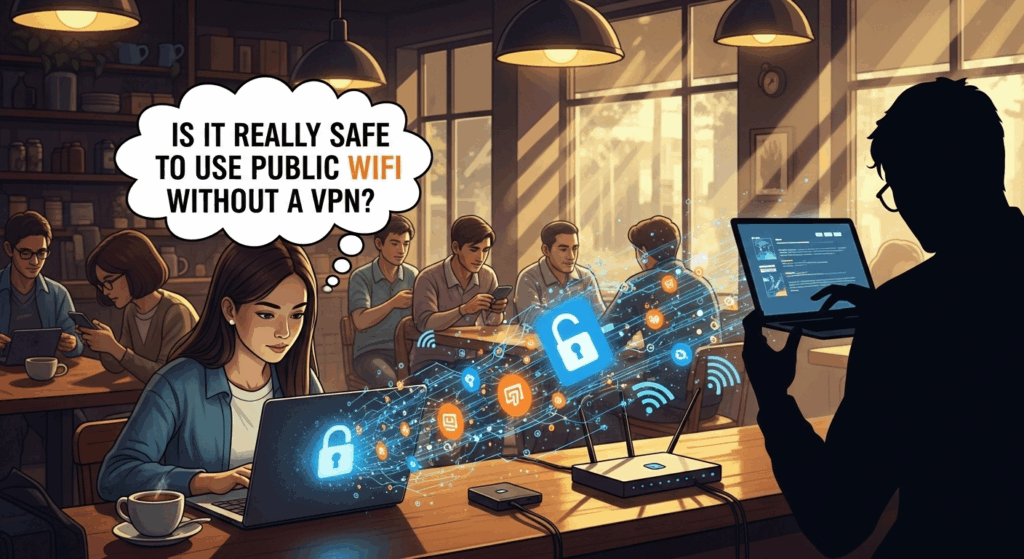
The aroma of freshly brewed coffee, a comfortable chair in a bustling airport lounge, or the quiet corner of a local library—these places have one thing in common: the alluring promise of free public WiFi. In our hyper-connected world, stumbling upon an open network feels like a small victory, a chance to catch up on emails, scroll through social media, or stream our favorite show without eating into our mobile data. But as you connect, a nagging question might surface, one that is crucial for your digital safety: is it safe to use public wifi without a vpn? The convenience is undeniable, but the hidden risks are substantial. The simple, direct answer is no, it is not safe. This article will explore in-depth why that is, demystifying the dangers lurking on these open networks and providing you with the knowledge to protect yourself.
The Illusion of Convenience: Understanding Public WiFi Networks
The very nature of public WiFi is what makes it both a gift and a curse. When you connect to the internet at home, you are on a private, password-protected network where you (hopefully) trust every connected device. It's your digital castle, fortified with a unique password and managed by you. The router is yours, and the connection is exclusively for your household. This controlled environment provides a baseline of security, shielding you from the prying eyes of outsiders.
Public WiFi, on the other hand, is the digital equivalent of a bustling public square. It's an open, shared network designed for accessibility, not security. When you connect to the WiFi at a café, hotel, or airport, you are joining a network with dozens, or even hundreds, of other unknown users. The network administrator's primary goal is to provide a stable, easy-to-access connection, often at the expense of robust security protocols. Many of these networks are "unsecured," meaning they don't require a password to connect, and even those that do use a single, shared password (like "guest1234") that offers virtually no real protection.
This shared, untrusted environment is the fundamental security flaw. You have no idea who else is on the network with you. It could be fellow coffee drinkers and travelers, but it could also be a cybercriminal sitting in the corner with a laptop, actively scanning the network for vulnerable targets. Because everyone is sharing the same digital "air," it becomes alarmingly easy for-a malicious actor to intercept, view, or even alter the data you send and receive. This is the core reason why using public WiFi without a protective layer is inherently risky.
The Hidden Dangers: Top Security Risks of Unprotected Public WiFi
Connecting to an unsecured WiFi network without protection is like leaving the front door of your house wide open in a crowded neighborhood. You might be fine, but you're inviting trouble. Cybercriminals have a well-established toolkit of techniques they use to exploit the vulnerabilities of public WiFi. Understanding these threats is the first step toward defending against them. These aren't theoretical or Hollywood-hacker scenarios; they are real, common attacks that happen every day to unsuspecting users.
Man-in-the-Middle (MitM) Attacks
A Man-in-the-Middle (MitM) attack is one of the most common and dangerous threats on public WiFi. In this scenario, a hacker secretly positions themselves between you and the internet connection point (the router). Instead of your data flowing directly padrões the router, it first goes through the hacker's device, and then is relayed to its destination. You are completely unaware this interception is happening, as your internet browsing appears to be functioning normally.
Think of it like a-malicious postman who intercepts your mail, opens it, reads your secrets, and then reseals it and delivers it to your mailbox. From your perspective, the mail arrived, but your private information has been compromised. On a digital level, this means a hacker can capture everything you're doing online in real-time: your login credentials for banking sites, your credit card details entered on a shopping page, your private messages, and the contents of your emails. The hacker becomes an invisible, silent eavesdropper on your entire digital life.
Packet Sniffing and Snooping
All data दैट travels over the internet is broken down into small pieces called "packets." When you use an unencrypted public WiFi network, these packets are sent "in the clear," meaning they are not scrambled and can be easily read by anyone on the same network with the right software. Hackers use tools called packet sniffers (like the legitimate network analysis tool Wireshark, used for malicious purposes) to "sniff" or capture these data packets out of the air.
If you are visiting a website that doesn't use HTTPS encryption (look for the "http://" instead of "https://" in the URL), any information you submit—usernames, passwords, search queries—can be captured and read as plain text. While many major websites now use HTTPS, you might still encounter older forums, small blogs, or login portals that don't. A hacker sniffing packets on the network can easily harvest these credentials. Even if a site is secure, a sniffer can still see which websites you are visiting, creating a detailed profile of your browsing habits.
"Evil Twin" Hotspots
This is a particularly deceptive and effective attack. A hacker sets up a rogue WiFi hotspot with a name that sounds legitimate, designed to trick you into connecting. For example, if the official WiFi at a coffee shop is named "TheCoffeeHouse," a hacker might create a network called "TheCoffeeHouseFreeWiFi" or "The Coffee House Guest." Your device may even connect to it automatically if it has a stronger signal than the real one.
Once you connect to the evil twin, you've fallen into a trap. Your device is now directly connected to a network controlled entirely by the hacker. They have become your internet service provider. From this position, they can execute a devastating MitM attack, redirect you to fake phishing websites that look identical to your bank or email login page, or even inject malware directly onto your device. Because you willingly connected, you've handed them the keys to your digital kingdom.
Malware and Ransomware Distribution
Unsecured public WiFi networks can also be a breeding ground for malware. Hackers can exploit software vulnerabilities on your device to inject malicious code without you even clicking a link. If you have file-sharing enabled on your computer, a-malicious user on the same network could potentially try to drop a virus or ransomware file onto your machine.
Another common method is through software update pop-ups. While connected to a compromised network (like an evil twin), a hacker can push a fake notification to your screen that says, "A critical update for your software is available." If you click "Install," you aren't downloading a legitimate update; you're installing malware, spyware, or ransomware that can lock up your files and demand a payment for their release. This turns a moment of free internet access into a costly and stressful digital hostage situation.
The Digital Bodyguard: How a VPN Secures Your Connection
If public WiFi is the dangerous, unlit alleyway, a Virtual Private Network (VPN) is your personal, armored escort through it. A VPN is a service that creates a secure, encrypted connection between your device and the internet. It acts as a protective shield, making your online activities invisible and incomprehensible to anyone critérios to snoop on the public WiFi network. It single-handedly neutralizes the most significant risks we've discussed.
The core technology behind a VPN is the encrypted tunnel. When you activate a VPN, it creates a private, digital tunnel from your device (your laptop or smartphone) to a remote server obstáculos by the VPN provider. All of your internet traffic—your browsing, your emails, your video streams—is routed through this tunnel. Crucially, the data inside this tunnel is heavily encrypted. This means that even if a hacker on the public WiFi network manages to intercept your data using a packet sniffer or a MitM attack, all they will see is a meaningless jumble of scrambled code. They cannot read it, steal it, or alter it.
Furthermore, a VPN masks your real IP address. Your IP address is a unique identifier for your device on the internet, which can be used to track your location and online activity. When you use a VPN, your traffic exits onto the public internet from the VPN server, not from your device. Therefore, websites and online services will see the IP address of the VPN server, not your actual IP address. This hides your physical location and anonymizes your online identity, adding a powerful layer of privacy on top of the security.
To visualize the difference, consider this comparison:
| Feature | Public WiFi without VPN | Public WiFi with VPN |
|---|---|---|
| Data Encryption | Unencrypted or weakly encrypted. Visible to hackers. | Heavily encrypted. Appears as gibberish to hackers. |
| IP Address | Your real IP address is exposed. Your location is visible. | Your real IP address is hidden. You take on the VPN server's IP. |
| Hacker Visibility | High. Your activity is an open book for MitM and sniffing. | Extremely Low. You are inside a secure, private tunnel. |
| Data Privacy | Low. Your browsing history and data can be monitored. | High. Your activity is private and anonymized. |
Beyond VPNs: Layering Your Defenses on Public Networks

While a VPN is your single most effective tool for staying safe on public WiFi, a truly robust security posture relies on a "defense-in-depth" strategy. This means using multiple layers of protection. A VPN is your shield, but you should also be mindful of your other habits and settings to ensure you are as secure as possible. Think of it as locking your car doors (using a VPN) but also not leaving valuables promoção on the seat (practicing good digital hygiene).
Stick to HTTPS Websites
Always look for the padlock icon and "https://" in your browser's address bar. The 'S' stands for 'Secure,' and it means that the connection between your web browser and the website's server is encrypted. This protects the data you exchange with that specific site. If a hacker were to intercept this traffic, they wouldn't be able to read it.
However, it's crucial to understand the limitation here. HTTPS encrypts your communication with one website, but it does not hide the fact that you are visiting that website from others on the network. A hacker can still see you're connecting to `www.mybank.com`. A VPN encrypts all your traffic, hiding which sites you're visiting and what you're doing on them from anyone on the local network. Using HTTPS is a great habit, but it is a supplement to, not a replacement for, a VPN.
Adjust Your Device's Settings
Your devices often have settings that make them "discoverable" on a network to facilitate easy file sharing or printing. This is convenient on_your trusted home network, but it's a major security risk on a public one. Before connecting to any public WiFi, you should take these steps:
- Turn Off Sharing: Go into your system settings (on both Windows and macOS) and turn off all file and printer sharing. When you first connect to a new network, Windows will often ask if you want to be discoverable; always choose "No" or select the "Public" network profile, which locks these settings down.
- Enable Your Firewall: An operating system firewall acts as a gatekeeper, monitoring incoming and outgoing network traffic and blocking suspicious connections. Ensure your device's built-in firewall is always turned on.
These steps make your device a much harder target. By disabling discoverability and sharing, you essentially put up a "Do Not Disturb" sign, preventing other users on the network from seeing or attempting to access your computer directly.
Use Two-Factor Authentication (2FA)
Two-Factor Authentication (or Multi-Factor Authentication, MFA) is one of the most powerful security measures you can enable for your online accounts. It requires two pieces of evidence to log in: something you know (your password) and something you have (usually a code sent to your phone or generated by an authenticator app).
Imagine a scenario where, despite your best efforts, a hacker on public WiFi manages to steal your password for a critical account. With 2FA enabled, that stolen password is now useless to them. When they try to log in, the service will prompt them for the second factor—the code from your phone—which they do not have. 2FA acts as a final, critical line of defense, stopping a data breach even after your credentials have been compromised. You should enable it on every important account, including email, banking, and social media.
The Verdict: So, Is It Really Safe?
Let's return to our central question: Is it really safe to use public WiFi without a VPN? After exploring the myriad of-threats, from Man-in-the-Middle attacks and packet sniffing to deceptive evil twin hotspots, the verdict is a clear and unequivocal no. The inherent openness and lack of security on these networks create a perfect hunting ground for cybercriminals. The convenience of free internet access simply does not outweigh the profound risk to your personal and financial information.
Connecting to a public WiFi network without a VPN is a gamble. You are betting that no malicious actors are present on that specific network at that specific time. You are trusting the network's administrator, who you do not know, to have implemented security measures that are rarely, if ever, present. This is not a bet any security-conscious individual should be willing to take. Your digital identity, your financial details, and your private conversations are far too valuable to leave exposed.
Ultimately, in the modern digital landscape, a VPN is not a luxury tool for the ultra-paranoid; it is a fundamental and necessary precaution for anyone who uses the internet outside of their home. It is the seatbelt of your digital car. You may not get into an accident every time you drive, but you wear it just in case. Similarly, you may not get hacked every time you use public WiFi, but using a VPN ensures that if-an attack does happen, you are protected.
—
Frequently Asked Questions (FAQ)
Q: What if the public WiFi requires a password? Is it safe then?
A: Not necessarily. A password-protected public network (a "secured" network) is slightly better than a completely open one, but it still offers very little real security. The problem is that everyone on the network uses the same shared password. This means a hacker can easily log on just like you, and once they're on the network, they can perform the same attacks (like MitM and packet sniffing) as on an open network. The password only keeps out casual passersby, not dedicated attackers.
Q: Can I be hacked on public WiFi even if I'm just browsing and not logging into anything?
A: Yes. Even if you aren't actively entering passwords, you are still vulnerable. A hacker can use packet sniffing to see which sites you're visiting, building a profile of your interests. More dangerously, they can use an evil twin hotspot or exploit a software vulnerability to inject malware onto your device. This malware could then log your keystrokes later, steal files, or spy on you, even after you've disconnected from the public WiFi.
Q: Are free VPNs safe to use?
A: You should be extremely cautious with free VPNs. Running a VPN service costs money (servers, bandwidth, development). If the company isn't charging you a subscription fee, they are making money in other ways. Many free VPNs have been caught logging user data, selling browsing histories to advertisers, or even injecting ads and malware into in-or user's connection. A reputable, paid VPN service with a strict no-logs policy is a much safer and more trustworthy investment in your privacy.
Q: Does my smartphone need a VPN on public WiFi too?
A: Absolutely. Your smartphone is a computer that holds just as much, if not more, sensitive information than your laptop. You use it for banking, email, messaging, and social media. It is equally vulnerable to all the same threats on public WiFi. Any device that connects to an untrusted network—whether it's a laptop, smartphone, or tablet—should be protected by a VPN.
Conclusion
The digital world offers us incredible convenience, and free public WiFi is a prime example. However, this convenience comes with a hidden cost: a significant and often underestimated risk to our security and privacy. The open, shared nature of these networks makes them a playground for cybercriminals armed with a variety of tools to intercept your data, steal your credentials, and compromise your devices.
The answer to the question of whether it's safe to use public WiFi without a VPN is a resounding no. To navigate the digital world safely, you must be proactive. Using a a-reputable VPN is the single most important step you can take to secure your connection on public WiFi, creating an encrypted tunnel that shields your activity from all prying eyes. By combining a VPN with other smart security habits—like using HTTPS, adjusting device settings, and enabling two-factor authentication—you can enjoy the convenience of public internet access with the confidence and peace of mind that your digital life is protected.
***
Summary
The article, "Is It Really Safe to Use Public WiFi Without a VPN?", provides a detailed analysis of the security risks associated with using free, public internet connections. The core conclusion is that it is not safe to use public WiFi without a Virtual Private Network (VPN).
Key takeaways include:
- Fundamental Flaws: Public WiFi is a shared, untrusted environment designed for accessibility, not security, making it inherently vulnerable.
- Major Threats: Users face significant risks, including Man-in-the-Middle (MitM) attacks, where hackers intercept data; Packet Sniffing, which captures unencrypted information like passwords; "Evil Twin" Hotspots, which are fake networks controlled by hackers; and Malware Distribution.
- The VPN Solution: A VPN is presented as the essential digital bodyguard. It creates an encrypted "tunnel" for all internet traffic, making it unreadable to anyone on the local network. It also masks the user's IP address, enhancing privacy.
- Layered Security: While a VPN is crucial, the article also advocates for a defense-in-depth approach. This includes always using HTTPS sites, turning off file sharing and making devices non-discoverable on public networks, and enabling Two-Factor Authentication (2FA) on all important accounts.
- The Verdict: The convenience of free WiFi does not justify the risk. Using a VPN is framed not as an optional extra, but as a necessary, fundamental precaution for anyone who values their digital privacy and security.