
How Does a VPN Protect Against Cyber Attacks? A Complete Guide
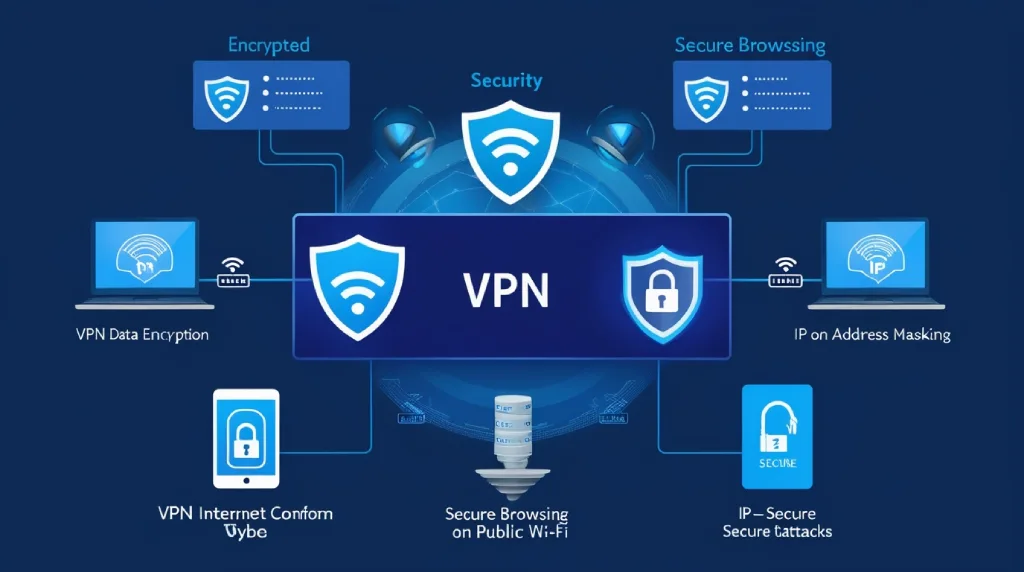
Discover how a VPN protects against cyber attacks with encryption, IP masking, and secure browsing. Learn essential tips for enhanced online safety.
In today’s world, where cyber threats are constantly evolving, online privacy is a hot topic. Many people are turning to VPNs to guard against cyber attacks, but how exactly does a VPN help protect against these threats?
Let’s dive into the key ways a VPN (Virtual Private Network) shields you from online risks, keeps your data private, and enhances your security while browsing.
How does a VPN protect against cyber attacks?
A VPN serves as a powerful line of defense against various forms of cyber attacks. Its core function is to create a secure, encrypted connection between your device and the internet.
This encryption adds a vital layer of protection, making it significantly more challenging for cybercriminals to intercept or access your data.
Below, we’ll explore how a VPN offers protection across multiple aspects of online security.
1. Data Encryption
One of the primary ways a VPN protects against cyber attacks is through data encryption. When you connect to the internet via a VPN, it encrypts your data, converting it into a coded format that unauthorized users cannot read.
This encryption process is a safeguard that transforms sensitive information, such as passwords, banking details, and personal messages, into scrambled text.
How Does Encryption Work?
Encryption operates by using complex algorithms to lock data, which only authorized parties with a decryption key can unlock. Here’s how it works:
- Data is coded at the point of origin (your device).
- Algorithms like AES-256 are often used to secure data, which is almost impossible to break.
- Data is sent to its destination (website or server) where it is decrypted for viewing.
By encrypting data, a VPN makes it unreadable to hackers, significantly reducing the risk of cyber attacks like “man-in-the-middle” attacks, where attackers try to intercept and alter communications between two parties.
2. IP Address Masking
A VPN helps protect against cyber attacks by masking your IP address. Your IP address is a unique identifier linked to your device’s internet connection, revealing your approximate location and providing a potential entry point for hackers.
By using a VPN, you can hide your IP address and replace it with one from a VPN server, effectively making it harder for cybercriminals to track you.
Why IP Masking Matters
When you connect through a VPN:
- Your real IP address is hidden, making it difficult to link online activity back to you.
- It prevents location-based tracking, especially useful when accessing public or shared networks.
- Hackers can’t trace the connection back to you, as it appears to originate from the VPN server location.
This feature protects you from certain types of cyber attacks, like Distributed Denial of Service (DDoS) attacks, where attackers flood your IP address with data requests to overwhelm your network.
3. Safe Browsing on Public Wi-Fi

Public Wi-Fi networks are notoriously insecure and easy for hackers to infiltrate, often serving as a hotspot for cyber attacks.
VPNs offer a crucial layer of security on public networks, where a device is at a higher risk of attacks like sniffing, which is when attackers capture data traveling through an unsecured network.
Why Use a VPN on Public Wi-Fi?
Here’s how a VPN enhances security on public networks:
- Encrypts all data sent from your device, making it unreadable to anyone attempting to intercept it.
- Creates a secure tunnel that shields your browsing activity from prying eyes on the same network.
- Prevents data theft, such as login credentials and credit card numbers, which can be exposed on public Wi-Fi without a VPN.
With a VPN, your data is shielded even on these vulnerable networks, ensuring that attackers can’t access your sensitive information.
4. Access Control
Access control is an essential part of network security, determining who can access your data. Some VPNs offer advanced features that allow users to control access to their network, blocking unauthorized connections and further reducing the likelihood of cyber attacks.
How VPN Access Control Works
Access control measures available through VPNs may include:
- Multi-factor authentication (MFA) for added security, requiring a password and a second authentication step.
- IP filtering that limits access to trusted devices or locations.
- Network segmentation to isolate sections of a network, limiting the spread of attacks if they occur.
With these added layers, VPNs prevent unauthorized access to your network, providing peace of mind and a solid defense against cyber threats.
5. Prevention of Tracking and Targeting
Another key benefit of a VPN is its ability to prevent online tracking and targeting. Many websites, advertisers, and even hackers track users’ online behavior using cookies and browser fingerprints, building a profile of personal information over time. By using a VPN, you can browse more anonymously and avoid being tracked.
How VPNs Prevent Tracking
When using a VPN, several anti-tracking measures are at work:
- Hides your IP address, so websites and third parties cannot link your activity back to you.
- Blocks advertising networks from profiling you based on browsing patterns.
- Prevents targeted ads from following you across websites, thanks to masked IP addresses.
Without tracking, your personal data stays private, and you’re less susceptible to targeted attacks or phishing attempts, where attackers try to gain sensitive information through deceptive communications.
6. Avoiding Malicious Sites
VPNs often come equipped with additional security features like ad-blockers, malware protection, and website filtering. These features work to block access to harmful sites that are known to harbor malware or launch phishing attacks, further strengthening your defenses against cyber threats.
The Role of a VPN in Blocking Malicious Sites
Here’s how VPNs offer protection against risky websites:
- Blocks access to known malicious sites that can infect your device with malware.
- Detects and warns you about phishing sites that attempt to steal login credentials.
- Reduces pop-ups and ads that can lead to unsafe websites.
By blocking malicious sites, a VPN helps prevent users from accidentally landing on sites designed to infect devices or steal information, making internet browsing safer and more secure.
Stay Secure Online with a VPN
In summary, a VPN is a powerful tool that offers multiple layers of protection against cyber attacks. From data encryption to IP masking and secure browsing on public networks, VPNs play a crucial role in online security, making them a worthwhile investment for anyone concerned about privacy and data protection.
For those looking to learn more about online safety, check out usagevpn.com for reliable information on securing your internet experience.
VPNs aren’t just about staying anonymous; they’re about ensuring your digital life is safe from ever-evolving cyber threats.
FAQ
What types of cyber attacks can a VPN protect against?
A VPN protects against man-in-the-middle attacks, tracking, IP-based targeting, data theft on public networks, and more.
Can a VPN keep my browsing history private?
Yes, a VPN hides your IP and encrypts your data, making it difficult for others to track your browsing history.
Is a VPN necessary on home networks?
While home networks are generally safer than public Wi-Fi, a VPN still adds security by preventing tracking and protecting your data.
Do all VPNs protect against cyber attacks?
Not all VPNs offer the same level of protection. Look for a reliable VPN with strong encryption, no-logs policy, and additional security features for maximum protection.